
lochess
a quiet, local chess app with stockfish bots and engine-graded game review
A quiet, local chess app for getting better at chess. Play Stockfish at lichess’s beginner-friendly levels, then see exactly where each game turned.
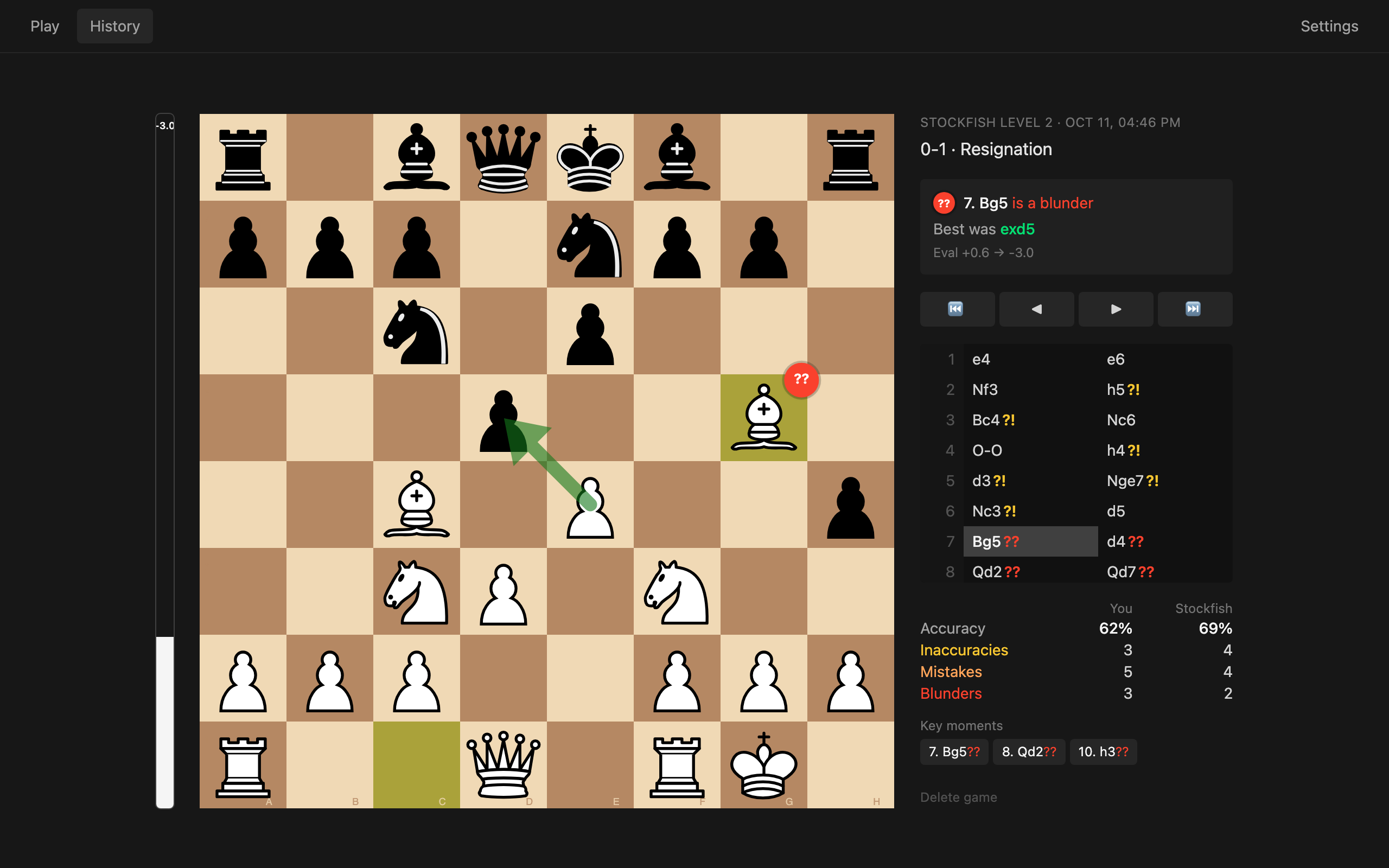
what it does
lochess is a desktop app for macOS, Linux and Windows. You play against Stockfish at levels 1–8, and when the game ends every move gets graded from Best to Blunder. The better move is drawn on the board, next to an eval bar, accuracy for both sides and the three moments that mattered most.
No account and no network. Games, analysis and settings stay on your computer.
features
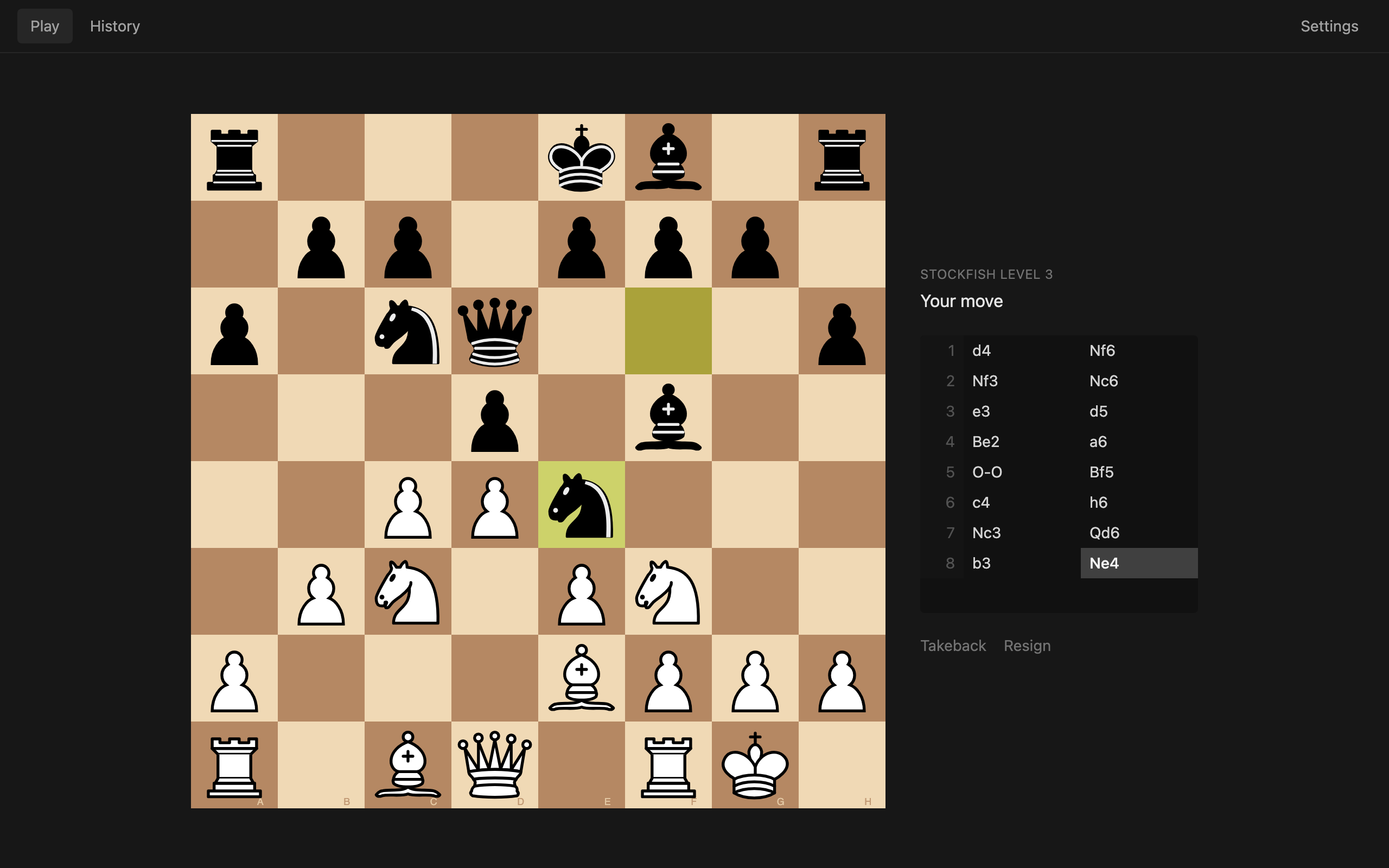
- stockfish at levels 1–8 - same engine settings lichess uses, so even level 1 is beatable
- game review - every move graded, with the best move shown on the board
- local history - finished games are saved and analysed in the background
- local 1v1 - two players on one board, with takebacks and draws by agreement
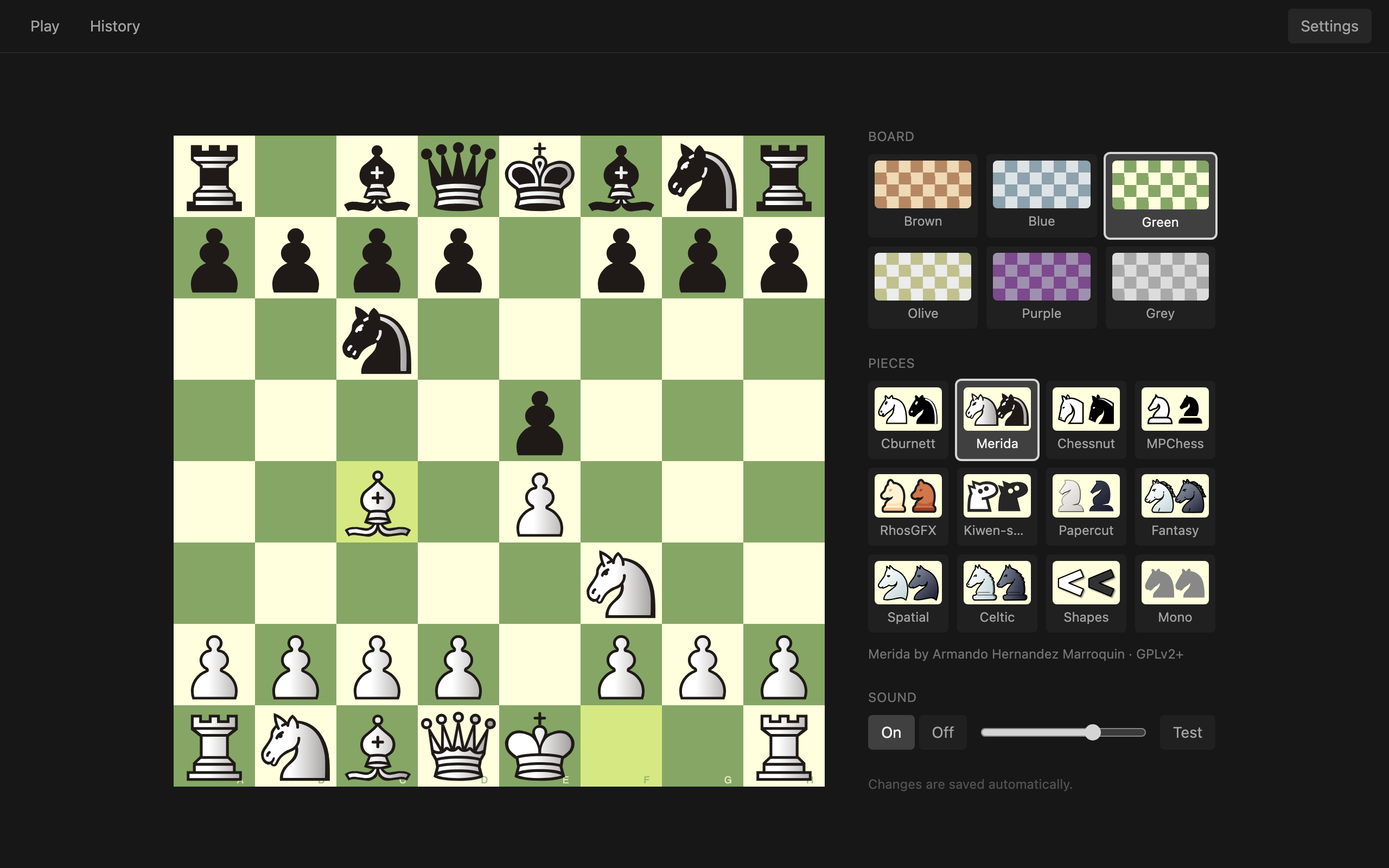
- make it yours - 6 board colours, 12 piece sets from lichess, move sounds

quick install
macOS and Linux:
curl -fsSL https://raw.githubusercontent.com/katistix/lochess/main/install.sh | shWindows, in PowerShell:
irm https://raw.githubusercontent.com/katistix/lochess/main/install.ps1 | iexThe chess engine (Fairy-Stockfish) ships inside the app, so there’s nothing else to set up. Prefer clicking? Grab the latest release.
how the bots stay beatable
Stockfish is far too strong for beginners, even at its lowest setting. lochess copies lichess’s approach (fishnet): it plays with Fairy-Stockfish using classical evaluation, a limited search depth and time, and a Skill Level that goes below zero, which official Stockfish can’t do.
| Level | 1 | 2 | 3 | 4 | 5 | 6 | 7 | 8 |
|---|---|---|---|---|---|---|---|---|
| Skill | −9 | −5 | −1 | 3 | 7 | 11 | 16 | 20 |
| Depth | 5 | 5 | 5 | 5 | 5 | 8 | 13 | 22 |
| Time | 50 ms | 100 ms | 150 ms | 200 ms | 300 ms | 400 ms | 500 ms | 1 s |
how moves get graded
After a game, a full-strength engine evaluates every position. Each evaluation becomes a winning chance (lichess’s formula), and a move is graded by how much winning chance it gave away, using chess.com’s thresholds:
| Best | Excellent | Good | Inaccuracy ?! | Mistake ? | Blunder ?? |
|---|---|---|---|---|---|
| engine’s choice | < 2% | < 5% | < 10% | < 20% | ≥ 20% |
Accuracy uses lichess’s per-move formula, and the key moments are your three costliest mistakes.
how it’s built
It’s a Wails app: a Go backend with a React frontend in a native webview.
Go owns all game state and logic: the rules (notnil/chess), a UCI wrapper around the engine process, the bot levels with crash recovery, and the analysis that runs and caches on its own full-strength engine. The frontend (Vite, React, TypeScript, Tailwind and lichess’s chessground board) only renders that state and sends moves back.
Releases are built by GitHub Actions: pushing a version tag bundles the engine, tests and builds for macOS, Linux and Windows, and publishes the binaries the install scripts download.